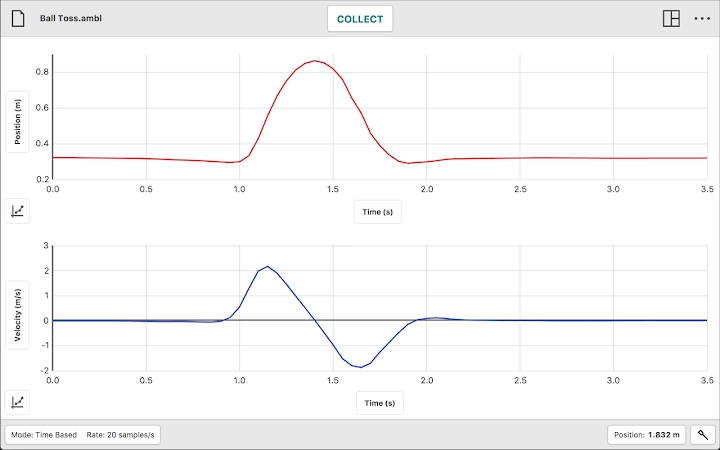

New in this release:• Graph legend* Graph, Table, Meter view* Go Direct Spirometer (GDX-SPR) support* Go Direct Blood Pressure Sensor (GDX-BP) support* Blood Pressure Sensor (BPS-BTA) support* Read trace colors from GDX sensors (GDX-CART and GDX-LC)* Updated firmware for some GDX sensorsFixed:• Improvements to color behavior resulting in fewer black trace linesGraphical Analysis™ 4 is a tool for science students to collect, graph, and analyze data from Vernier sensors.Sensor data-collection support:• Vernier Go Direct® sensors - with Bluetooth® wireless technology and USB connectivity• Vernier Go Wireless® Heart Rate and Go Wireless Exercise Heart Rate monitors• Vernier LabQuest® sensors used with LabQuest 2, LabQuest Stream, LabQuest Mini, or Go!Link® interfaces• Vernier Go!Temp® and Go!Motion® USB sensorsAdditional experiment options:• Data Sharing via Wi-Fi connection to LabQuest 2 or Logger Pro® 3• Manual EntryNote: Sensor data collection and Data Sharing require the purchase of hardware from Vernier Software & Technology. Manual entry of data can be performed without a hardware purchase. For more information on Data Sharing, visit http://www.vernier.com/cssKey Features - Data Collection• Multi-sensor data-collection support• Time Based, Event Based, Drop Counting, and Photogate data-collection modes• Configurable data-collection rate and duration for time-based data collection• Optional triggering of time-based data collection based on sensor value• Customizable unit display on supported sensors• Sensor calibrations• Option to zero and reverse sensor readings• Graph match feature for use with motion detectors• Manual entry of data from keyboard and clipboardKey Features - Data Analysis• Display one, two, or three graphs simultaneously• View data in a table or show a graph and table side-by-side• Draw Predictions on a graph to uncover misconceptions• Examine, interpolate/extrapolate, and select data• Use Tangent tool to show instantaneous rates of change of the data• Find area under a curve using the Integral tool• Apply Statistics calculations to find mean, min, max, and standard deviation• Perform curve fits, including linear, quadratic, natural exponent, and more• Add calculated columns based on existing data to linearize data or investigate related conceptsKey Features - Collaboration and Sharing• Create text annotations and add graph titles• Export graphs and data for printing and inclusion in lab reports• Save files (.ambl file format) to the Cloud for exchange with Graphical Analysis 4 on other Chromebooks™, Windows® and macOS® computers, and iOS and Android™ devices• Export data in .CSV format for analysis of data in spreadsheet software such as Excel, Google Sheets, and Numbers• Adjust font sizes for easier viewing when presenting to your classVernier Software & Technology has over 35 years of experience in providing effective learning resources for understanding experimental data in science and math classrooms.
Graphical Analysis 4 is a part of the extensive system of sensors, interfaces, and data-collection software from Vernier for science and STEM education.







